Moli Lock Series
คู่มือการตั้งค่า 3 รุ่น
ขั้นตอนการตั้งค่ารหัสและการ์ดแบบหน้าเดียว สำหรับกลอนที่ใช้ชุดคำสั่งเดียวกัน
ควรทำก่อนใช้งาน: เปลี่ยนรหัสจัดการจากค่าโรงงาน 0000 และลบรหัสเข้าโรงงาน 123456 เพื่อความปลอดภัย รหัสจัดการใช้ควบคุมการตั้งค่า แต่ใช้ปลดล็อกประตูไม่ได้
เปลี่ยนรหัสจัดการ
ขั้นตอนสำคัญที่ควรทำทันทีหลังติดตั้ง
จดรหัสจัดการใหม่ไว้ในที่ปลอดภัย เพราะต้องใช้ทุกครั้งที่เพิ่มหรือลบข้อมูลผู้ใช้
เพิ่มรหัสเข้า
สามารถตั้งรหัสเข้าได้หลายรหัส
เพิ่มการ์ด
ลงทะเบียนการ์ดต่อกันได้ทีละใบ
ลบรหัสเข้าหรือการ์ด
เลือกทำอย่างใดอย่างหนึ่งตามข้อมูลที่ต้องการลบ
ลบรหัสเข้า
ลบการ์ด
รีเซ็ตข้อมูลผู้ใช้ทั้งหมด
รหัสจัดการกลับเป็น 0000 และรหัสเข้า/การ์ดที่ตั้งไว้จะถูกลบทั้งหมด
วิธีปลดล็อก
เลือกใช้รหัสเข้าหรือการ์ดที่ลงทะเบียนไว้
ปลดล็อกด้วยรหัส
แตะหน้าจอ → กดรหัสเข้า → กด #
ปลดล็อกด้วยการ์ด
นำการ์ดที่ลงทะเบียนแล้วแตะบริเวณอ่านการ์ดด้านหน้า
กุญแจฉุกเฉินและปุ่มรีเซ็ตรหัสจัดการ
จุดสำคัญอยู่ใต้เครื่องด้านหน้าและใต้ฝาครอบแผงด้านใน
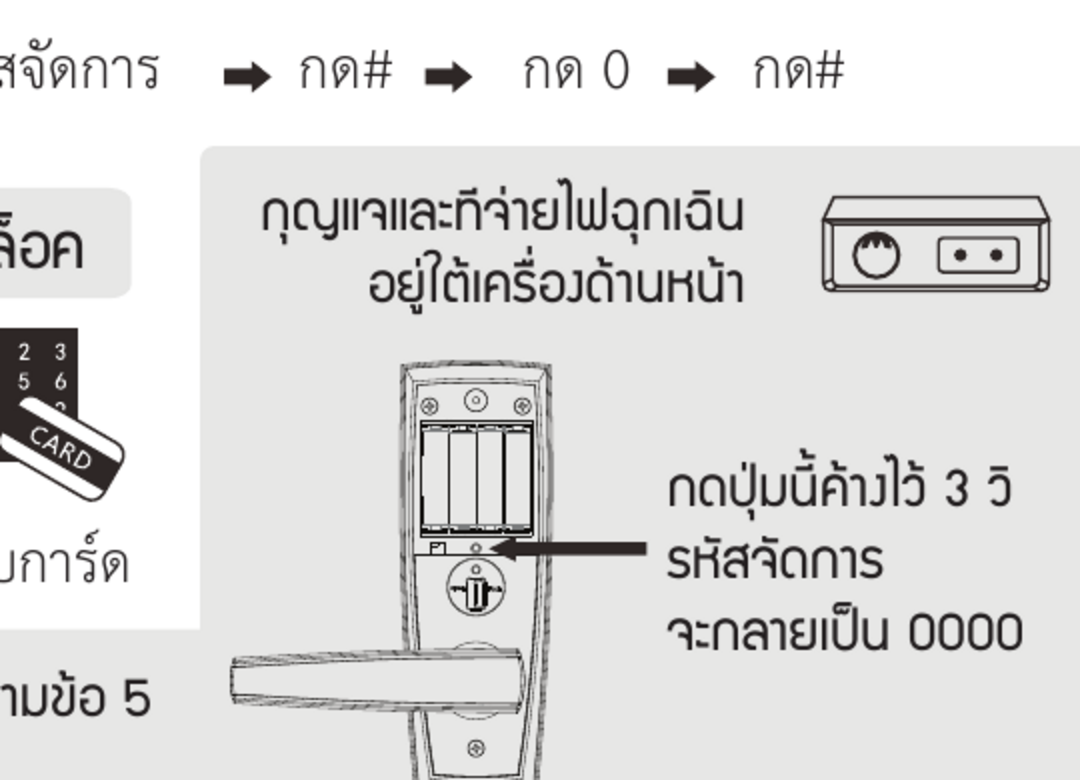
เมื่อจำรหัสจัดการไม่ได้
- เปิดฝาครอบแผงด้านใน
- กดปุ่มตามภาพค้างประมาณ 3 วินาที
- รหัสจัดการจะกลับเป็น 0000
| วิธี | ใช้เมื่อ | ผลลัพธ์ตามคู่มือ |
|---|---|---|
| คำสั่งข้อ 5 | ต้องการล้างข้อมูลผู้ใช้ทั้งหมด | รหัสจัดการกลับเป็น 0000 และลบรหัสเข้า/การ์ดทั้งหมด |
| กดปุ่มด้านใน 3 วินาที | ลืมรหัสจัดการ | รหัสจัดการกลับเป็น 0000 |
แก้ปัญหาเบื้องต้น
กดตั้งค่าแล้วไม่เข้าเมนู
เริ่มจากกดปุ่ม * ค้าง แล้วใส่รหัสจัดการตามด้วย # ตรวจว่ากำลังใช้รหัสจัดการ ไม่ใช่รหัสสำหรับปลดล็อก
การ์ดหายและต้องการยกเลิกการ์ด
หากไม่มีการ์ดใบนั้นให้ทาบเพื่อลบ คู่มือต้นฉบับแนะนำให้รีเซ็ตตามข้อ 5 แล้วลงทะเบียนรหัสและการ์ดใหม่
ลืมรหัสจัดการ
กดปุ่มรีเซ็ตที่แผงด้านในค้าง 3 วินาที เพื่อคืนรหัสจัดการเป็น 0000 แล้วเปลี่ยนเป็นรหัสใหม่ทันที
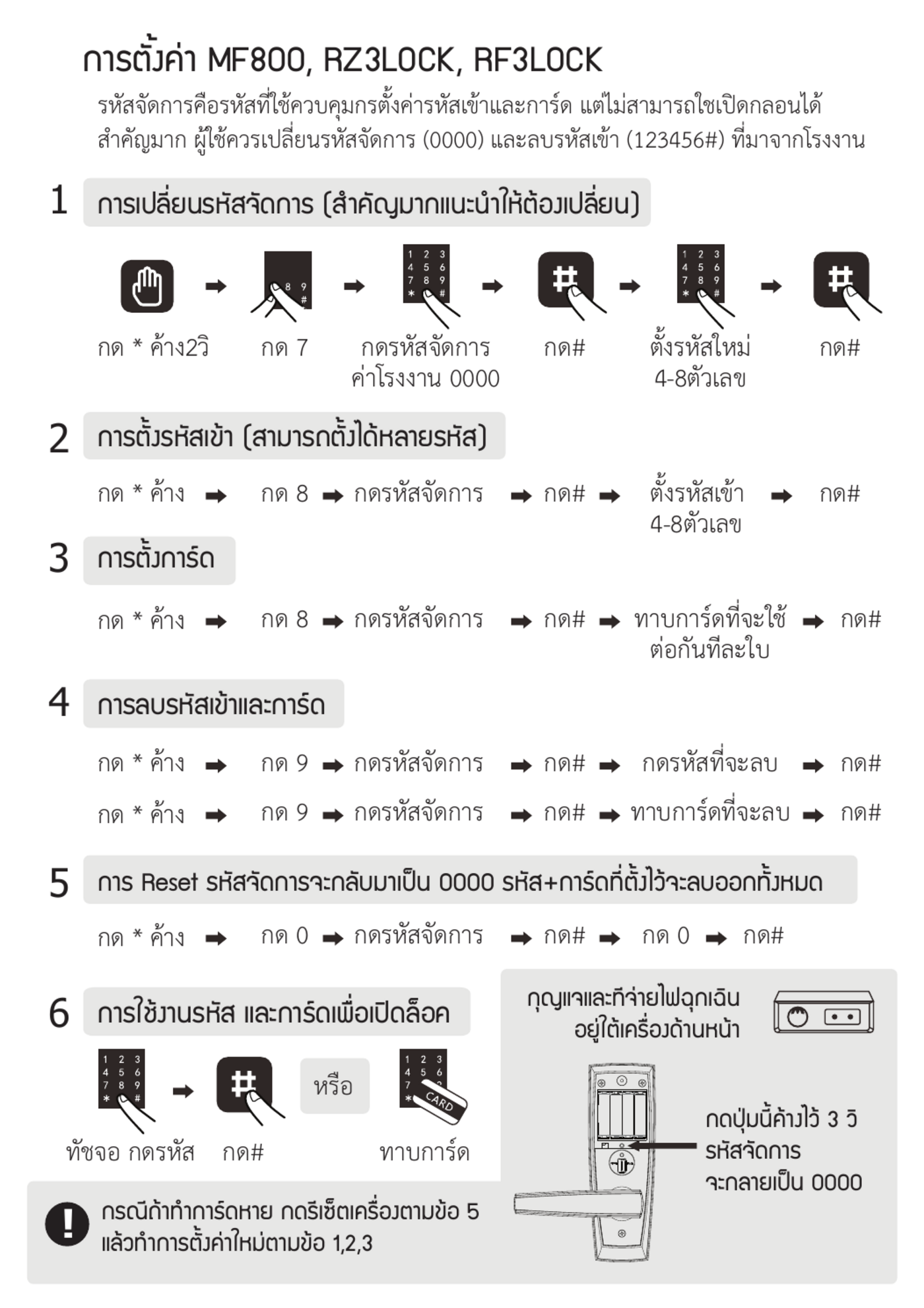
ภาพคู่มือต้นฉบับ
ใช้ตรวจสอบลำดับปุ่มและตำแหน่งอุปกรณ์ของรุ่น MF800, RZ3LOCK และ RF3LOCK
Moli Lock Series
3-Model Setup Guide
A complete one-page guide for three digital locks that use the same setup sequence.
Before use: Change the factory Admin Code 0000 and delete the factory unlock code 123456. The Admin Code controls settings and cannot unlock the door.
Change the Admin Code
Do this immediately after installation.
Keep the new Admin Code in a safe place. It is required whenever you add or delete a user.
Add an Unlock Code
You can register multiple unlock codes.
Register a Card
Cards can be registered one after another.
Delete an Unlock Code or Card
Choose the method for the credential you want to delete.
Delete an Unlock Code
Delete a Card
Reset All User Data
The Admin Code returns to 0000, and all unlock codes and cards are deleted.
Unlock the Door
Use a registered unlock code or card.
Unlock with a Code
Wake the screen → enter an unlock code → press #
Unlock with a Card
Tap a registered card on the card reader at the front of the lock.
Emergency Key, Emergency Power and Admin Code Reset
The emergency points are under the front unit, while the reset button is under the indoor-unit cover.
If You Forget the Admin Code
- Open the indoor-unit cover.
- Hold the button shown in the image for about 3 seconds.
- The Admin Code returns to 0000.
| Method | When to use it | Result stated in the guide |
|---|---|---|
| Command in step 5 | Clear all user data | Admin Code returns to 0000; all unlock codes and cards are deleted |
| Hold indoor button for 3 seconds | Admin Code is forgotten | Admin Code returns to 0000 |
Troubleshooting
The setup menu does not open
Start by holding * and then enter the Admin Code followed by #. Make sure you are using the Admin Code, not an unlock code.
A card is lost and must be disabled
If the missing card is not available to tap for deletion, the original guide recommends using step 5 and then registering the required codes and cards again.
The Admin Code is forgotten
Hold the reset button on the indoor unit for 3 seconds to restore the Admin Code to 0000, then change it immediately.
Original Guide Image
Use this image to verify the key sequence and hardware locations for MF800, RZ3LOCK and RF3LOCK.
Digital Lock App TT Lock
-
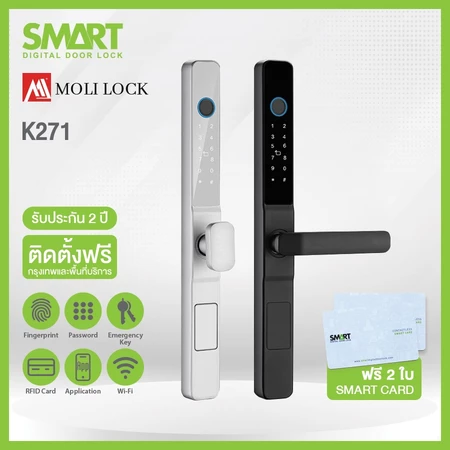
Smart Digital Door Lock รุ่น K271
Original price was: 10,900 บาท.7,900 บาทCurrent price is: 7,900 บาท. -
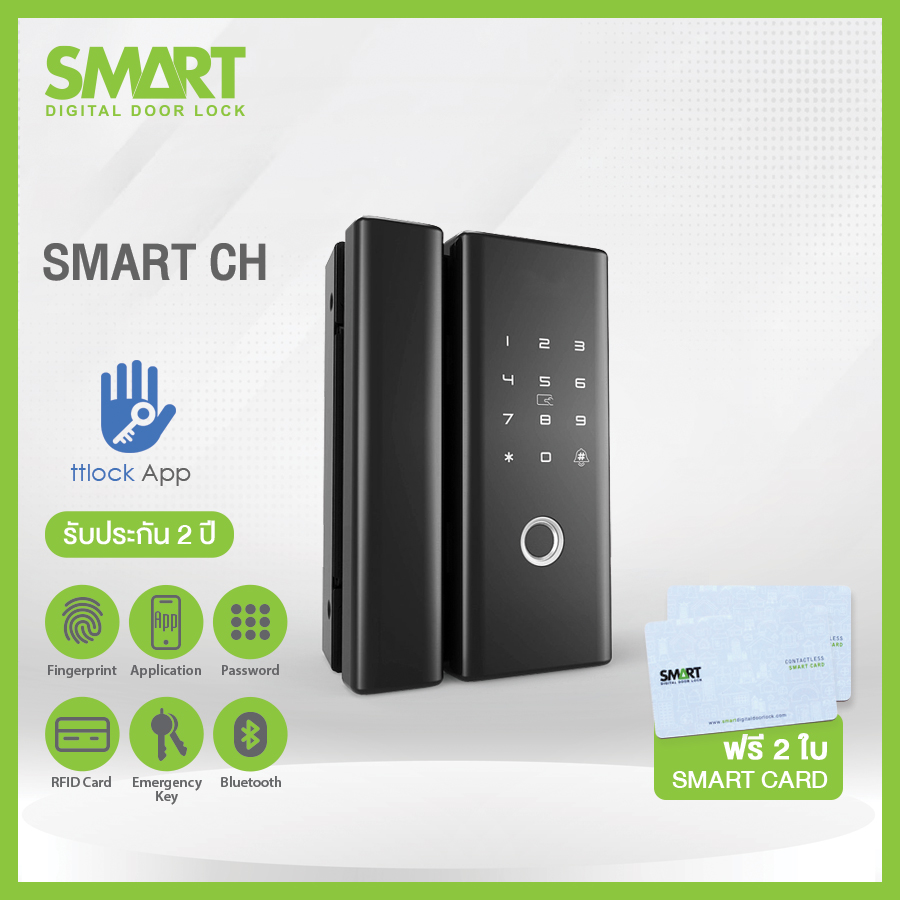
Smart Digital Door Lock รุ่น SM-001 (CH)
Original price was: 8,900 บาท.6,900 บาทCurrent price is: 6,900 บาท. -
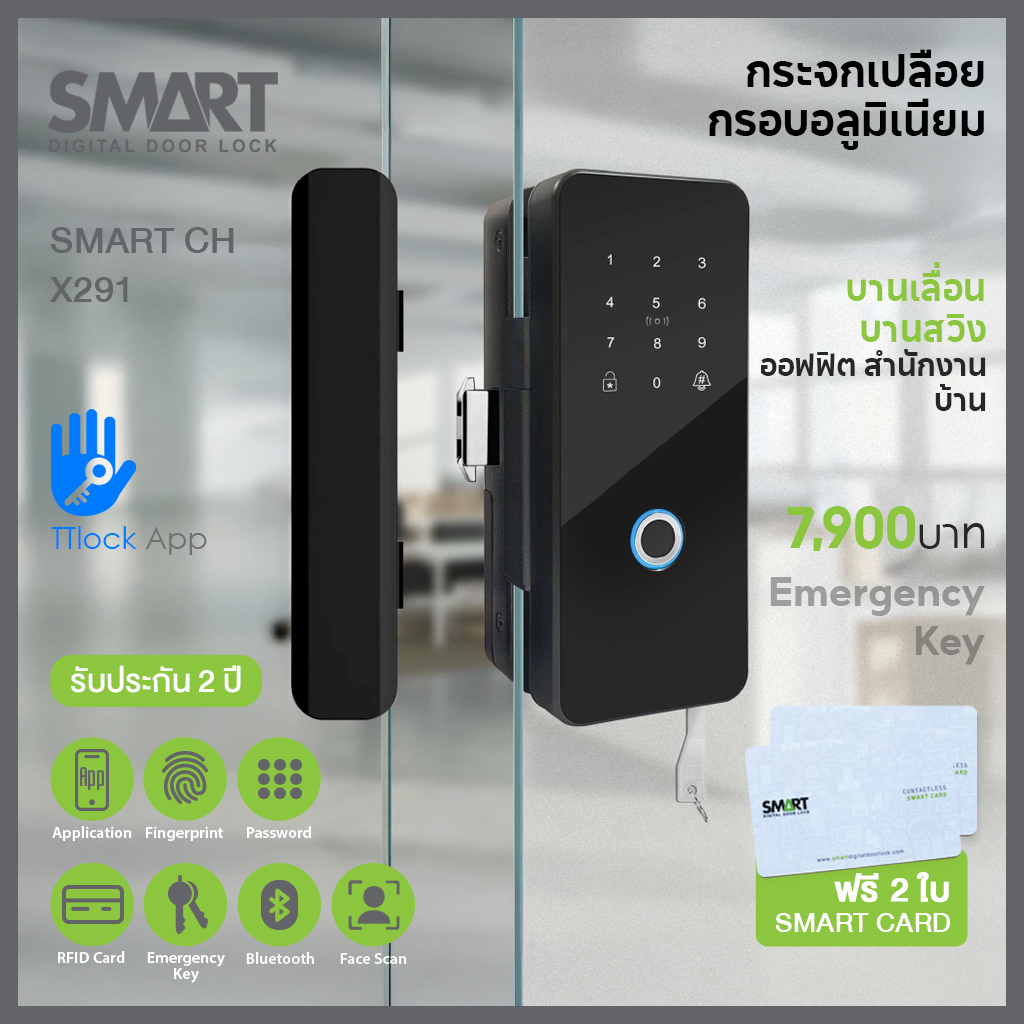
Smart Digital Door Lock รุ่น SM-002 (CH-x291)
Original price was: 8,900 บาท.7,900 บาทCurrent price is: 7,900 บาท. -
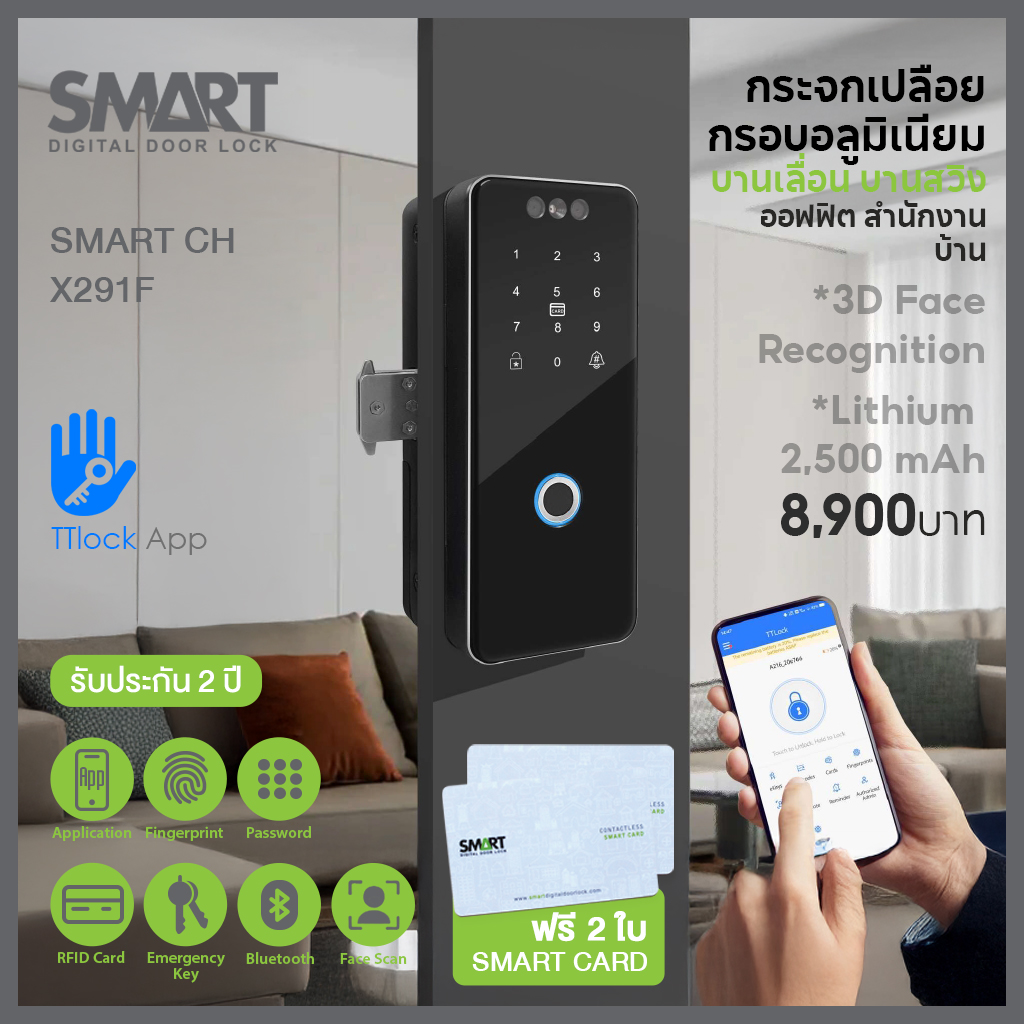
Smart Digital Door Lock รุ่น SM-003 (CH-x291f) สแกนใบหน้า
Original price was: 9,900 บาท.8,900 บาทCurrent price is: 8,900 บาท. -
Smart Digital Lock A Smart รุ่น AS-A1
Original price was: 9,900 บาท.7,900 บาทCurrent price is: 7,900 บาท. -
Smart Digital Lock A Smart รุ่น AS-C1
Original price was: 6,900 บาท.4,900 บาทCurrent price is: 4,900 บาท. -
Smart Digital Lock AS-C9
Original price was: 7,900 บาท.5,900 บาทCurrent price is: 5,900 บาท.